
School
Varsity, JV and freshman formats that follow NFHS play, plus MaxPreps stats files, streaming reminders for postseason games, and head-coach corrections.
Every stat. Every sport. One book.
Lockerbook keeps the book for 15 sports on iPhone and iPad. Tap in the game, get a full box score, and create your MaxPreps stats file, while your players' information stays with your staff.
15 sports
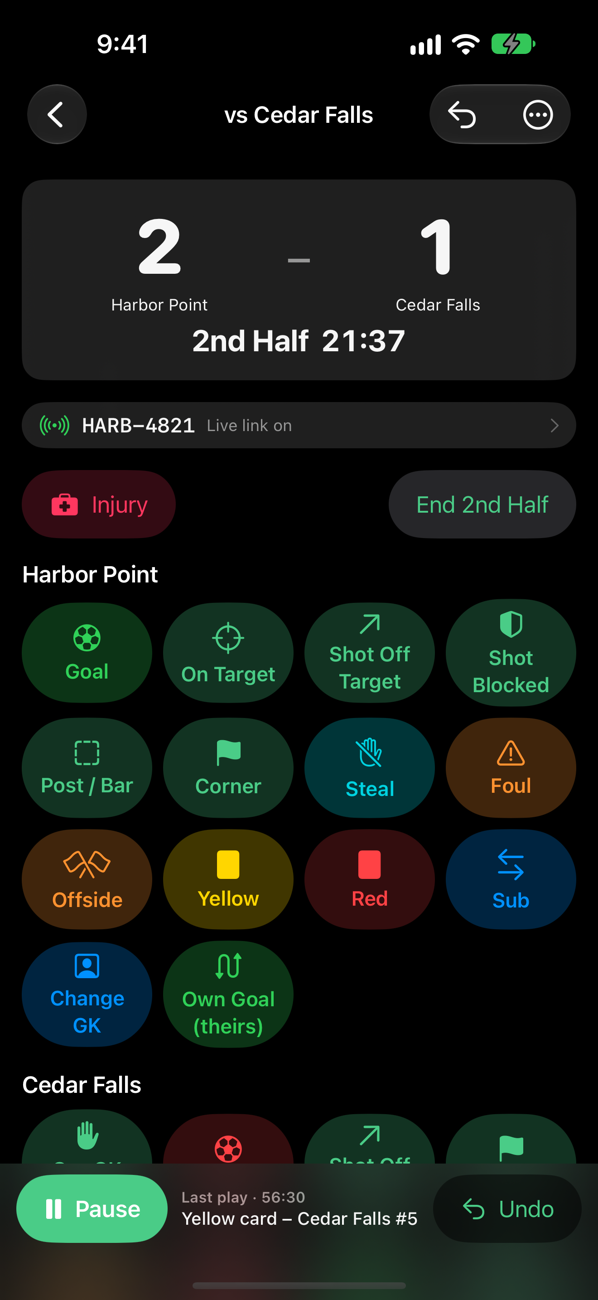
Soccer has the complete scoring screen. Eleven more sports are ready to score, and meet sports are next.
Goals, assists, shots, saves, cards, subs and minutes with a live clock.
MaxPrepsPlate appearances, runs, RBIs, steals, pitching lines and fielding.
MaxPrepsPlate appearances, runs, RBIs, steals, pitching lines and fielding.
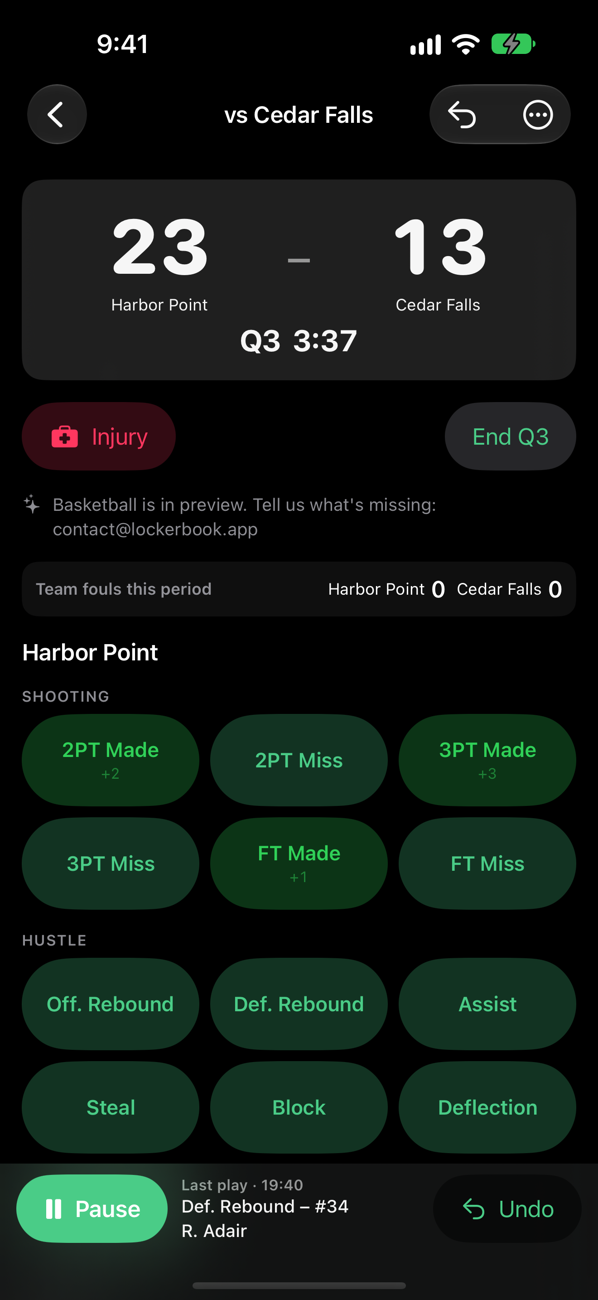
MaxPrepsMakes and misses by type, rebounds, assists, steals, blocks, turnovers.
MaxPrepsScoring plays, rushing, passing and receiving yards, defense, punting.
MaxPrepsRally scoring by set with kills, aces, blocks, digs and errors.
MaxPrepsGoals, assists, ground balls, faceoffs, draw controls and saves.
MaxPrepsGoals, assists, shots, power-play goals, faceoffs, PIM and saves.
MaxPrepsGoals, assists, shots, penalty corners, cards and saves.
MaxPrepsBout by bout through the weight classes: method, score, fall time and team points.
Line by line with set scores, singles and doubles records, and the college doubles point.
Matches with any number of teams, Varsity and JV squads, subs, Baker games and points scoring.
Events, marks and places for dual and invitational meets.
Finish order, times and team scoring.
Events, times and places for swim and dive meets.
Features
MaxPreps-ready
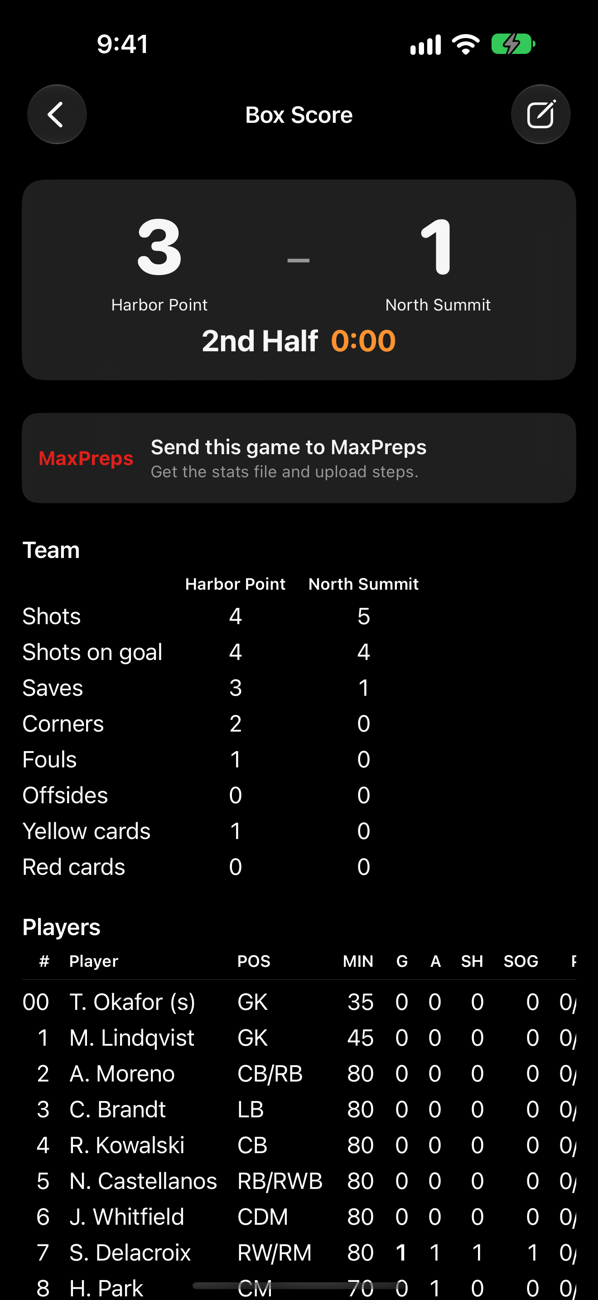
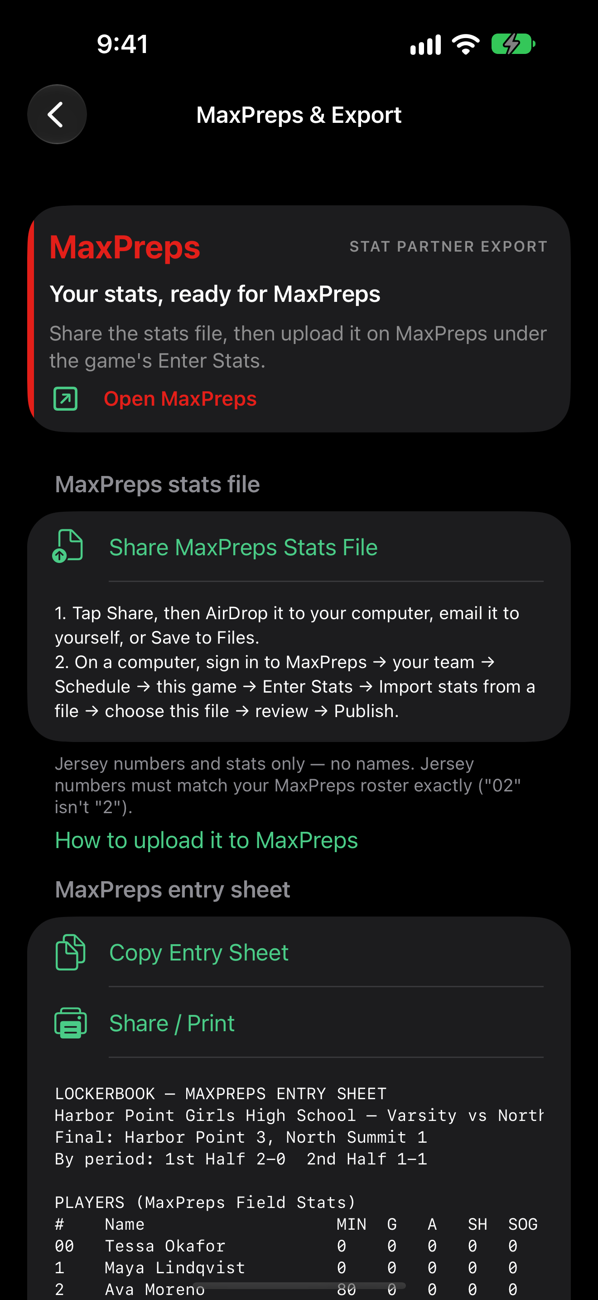
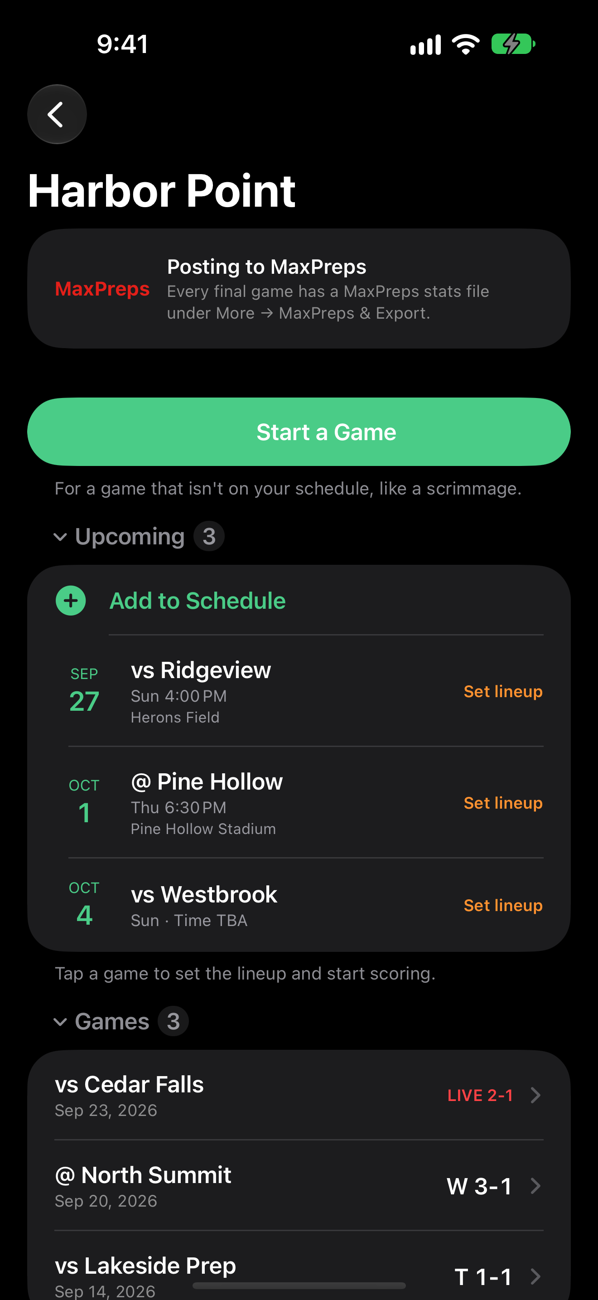
Lockerbook creates the stats file MaxPreps imports, so high school teams skip retyping the box score.
Stats files contain jersey numbers and stats, never names. Ready for soccer, baseball, softball, basketball, football, volleyball, lacrosse, ice hockey and field hockey.
Jersey|Goals|Assists|Shots|ShotsOnGoal
7|1|1|3|2
9|1|1|2|2
12|1|0|1|1
1|0|0|0|0
One line per athlete, matched by jersey number.
For families
Switch on live sharing for a game and Lockerbook gives you a share code. Send it to anyone. They open lockerbook.app/watch, type the code, and follow the score, clock, period and play-by-play while you keep the book.
Last updated just now.
An illustration of the fan view, with a fictional team.
Every level
Varsity, JV and freshman formats that follow NFHS play, plus MaxPreps stats files, streaming reminders for postseason games, and head-coach corrections.
NCAA-style halves, quarters and periods, and longer innings. The same box scores, spreadsheet exports and staff-only data.
Shorter games, youth quarters and travel formats. Player names stay hidden from invited viewers by default for youth teams.
Privacy
Teams, rosters and stats live on your device, encrypted when it's locked.
No ad networks, analytics or tracking, and nothing to sign up for.
Public views, broadcast overlays and MaxPreps files use jersey numbers.
An optional Face ID lock, a privacy screen in the app switcher, and a head-coach PIN.
Pricing
Join the TestFlight beta and keep the book for real games this season. These plans are coming soon, and every plan includes all sports. Fans always watch free.
$49.99/yr
$124.99/yr
$299/yr
Need more coaches? Add 10 seats for $99/yr. A lapsed plan stays readable and exportable. Ask about school & club licensing →
FAQ
Fifteen. Soccer has the complete scoring screen. Baseball, softball, basketball, football, volleyball, lacrosse, ice hockey, field hockey, wrestling, tennis and bowling use the stat-sheet scorekeeper, and wrestling, tennis and bowling have dual-meet and match screens of their own. Track & field, cross country and swimming & diving are coming soon.
No. School (varsity, JV, freshman), college and club/travel teams all use Lockerbook, with game formats for each level. MaxPreps tools appear for high school teams, because MaxPreps covers U.S. high schools.
Answer “yes” when Lockerbook asks if your team posts to MaxPreps. After a game, Lockerbook makes the MaxPreps stats file. Open the game on MaxPreps, choose Enter Stats, and import the file. It has jersey numbers and stats, not names. MaxPreps doesn't offer automatic syncing to partner apps, so this one upload is the fastest path.
Soccer, baseball, softball, basketball, football, volleyball, lacrosse, ice hockey and field hockey — every high school sport MaxPreps imports stats for, using MaxPreps' own stat list for each one. The other sports get a box score sheet and a spreadsheet.
No. There's nothing to sign up for. Your teams, rosters and games live on your iPhone or iPad.
Only what a scorebook needs: name, jersey number, position and graduation year. It never asks for contact information, birthdays or photos, and it has no ad networks, trackers or analytics.
Yes. Turn on live sharing for a game and Lockerbook shows a share code such as HAWK-4821. Send the code to family and they open lockerbook.app/watch, type it in, and follow the score, clock, period and play-by-play while you keep the book. There is no app to install and no account to create. The public page shows jersey numbers and stats only — never athlete names, and nothing about an opposing athlete beyond a jersey number. Injuries, substitutions and notes are never shown. Anyone with Lockerbook can also tap Watch a Game in the app and enter the same code. Live sharing is off until you switch it on, and the code stops working the moment you switch it off.
Not yet. One scorekeeper enters the game; families can already follow along live. Scoring from several coaches' phones at once is next on the roadmap.
Yes. Scoring, box scores and exports all work offline.
Lockerbook is free during the beta. Coming soon, all sports included in every plan: Coach $49.99/yr with a 1-month free trial, Club/Travel $124.99/yr for up to 6 coaches, and School for 30 coaches. Founding School price: $299/year for schools that sign up by October 1, 2027, locked while you renew. After that, School is $399/yr. A lapsed plan stays readable and exportable. Fans always watch free.
Not right now. Lockerbook is built for iPhone and iPad.
Join the beta, bring your roster, and keep the book for your next game.
Join the TestFlight beta